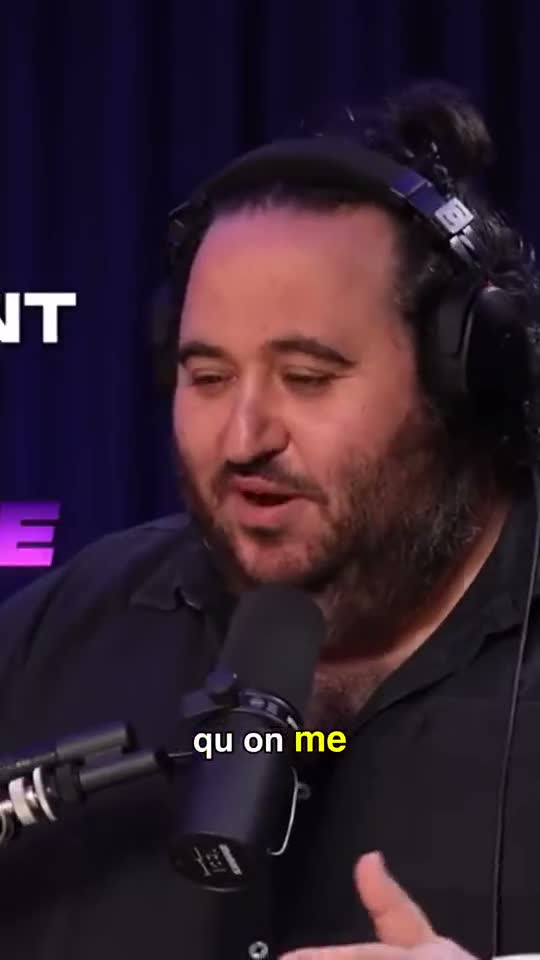
Captions people read with the sound off
Word by word, synced to the voice. 5 styles, your colors, your font.
KaraokeBoxedOutlineGlow
Upload a video or paste a YouTube link. AI finds the highlights, reframes on the face, adds captions and exports in 9:16.
2 free videos · MP4, MOV, WEBM or YouTube link
Auto-reframe · the frame follows whoever speaks
Word by word, synced to the voice. 5 styles, your colors, your font.
AI spots the highlights, scores them out of 100 and tells you why.
Silences cut, auto-zoom, B-roll, emojis, music. Toggle it, done.
Auto-reframe on the face and the speaker. Two people? Automatic split screen.
Auto-reframe · automatic split screen for 2 people
Built-in MCP server: your assistant imports, cuts, reframes and exports for you.
claude mcp add --transport http cliponit https://cliponit.app/mcp \
  --header "Authorization: Bearer ck_…"
Example tools
import_video_url · https://youtu.be/…auto_reframe · clip_id, orientation: 9:16export_clip · clip_id → MP42 long videos included
Unlimited clips per video
20 long videos per month
Unlimited clips per video
60 long videos per month
Unlimited clips per video
200 long videos per month
Unlimited clips per video
Prices in USD · Cancel in one click, anytime, no commitment.
ClipOnIt is an AI clipping tool: it turns a long video or a YouTube link into reframed, captioned vertical clips, for podcasters, YouTubers, coaches and agencies who publish on TikTok, Reels and Shorts.
MP4, MOV, WEBM or a YouTube link. Up to 3 GB per video on Free, 8 GB on Starter, 20 GB on Pro and Business. The free plan accepts videos up to 20 minutes long.
A few minutes for a one-hour video. ClipOnIt transcribes, detects the highlights and scores them; each clip then exports in under 2 minutes.
Transcription detects the video's language automatically: French, English and dozens more. On paid plans you can translate captions into 6 languages.
Yes, on the free plan only. From Starter ($29/month) your exports are watermark-free and you can add your own logo.
Yes, in one click from the Billing page, with no commitment or fees. You keep access until the end of the period you already paid for.
They stay private and are deleted automatically after your plan's history period: 3 days on Free, up to 180 days on Business. You can also delete a video at any time, along with its clips and exports.
Yes. ClipOnIt's Free plan includes 2 videos of up to 20 minutes each, with a watermark and no credit card. Watermark-free export starts with Starter at $29/month.
ClipOnIt costs $0 (Free), $29/month (Starter, 20 videos), $49/month (Pro, 60 videos, API and MCP) or $149/month (Business, 200 videos, 3 seats). Yearly billing costs 10 months. Prices in USD.
Yes. ClipOnIt ships an MCP server with 25 tools and a REST API described in OpenAPI 3.1: Claude or ChatGPT can import a video, pick the moments, reframe, caption and export. Available from the Pro plan.
Yes. Like them, ClipOnIt turns a long video into shorts with highlight detection, reframing and captions. ClipOnIt adds an MCP server, a documented API, EU hosting and a free plan without credit card.
Yes. Paste the YouTube link into ClipOnIt: the video is downloaded, transcribed and clipped, nothing to install. MP4, MOV and WEBM uploads work too.
ClipOnIt exports MP4 in vertical 9:16, horizontal 16:9, square 1:1 and portrait 4:5, with an independent edit per format. Premiere Pro XML export is included from Pro.
20 minutes per video on ClipOnIt's Free plan. Paid plans are limited by file size (8 GB on Starter, 20 GB on Pro and Business), not by duration.
ClipOnIt hosts videos on Hetzner servers in the European Union (Finland). They are deleted at the end of the plan's history, 3 to 180 days, or on request.
2 free videos, no credit card. Cancel anytime.
Start for freeNo card needed