Clay 3D step-by-step video — Clay mascot style
Make a step-by-step tutorial with a clay look: an orange mascot plugged into one socket per step, pastel backgrounds by chapter, clay objects that pop.
Included from Starter, with all 81 styles plus your own · preview rendered by the ClipOnIt engine
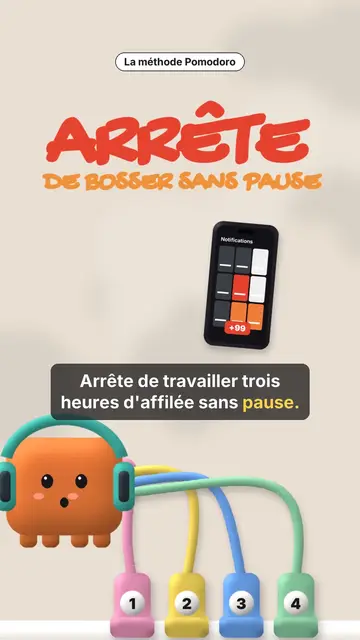
What this style looks like
Clay mascot gives your video a soft, cute 3D clay look. In the centre, an orange cube mascot wearing a helmet is connected by coloured cables to numbered sockets. Each socket is a step: when a new chapter starts, a plug bounces and connects, and the pastel background changes colour, cream, pink, sea green or midnight blue. The mascot's face changes too, happy, surprised, with stars or hearts in its eyes.
Chapter titles are handwritten in marker, with their numbered badge, and a small black pill spells out the idea. Clay objects pop on the word: a phone full of notifications, a stopwatch, a bookshelf, a monitor, a list being ticked, a card, a giant number. A yellow note can stick to the object, confetti falls on the win, and the end shows “COMMENT” with a ticked recap of every step.
Topics it suits
Avoid: grave topics, investigations or hard news: the cute look would not fit. Also avoid topics without steps; the mascot needs a socket to plug in for each idea.
- Productivity methodsOne socket per step: viewers see how many are left and where they are.
- Tool round-upsEach tool plugs its socket and pops its clay object, then the recap ticks them all.
- Beginner tutorialsThe soft look and the mascot make a technical topic approachable.
- Routines and habitsThe stopwatch, the ticked list and the confetti reward each step kept.
Video ideas in this style
- The Pomodoro method
The red “STOP” hook, four sockets, the stopwatch, the silenced phone and the ticked recap.
- 4 apps to learn a language
One socket per app, the clay phone and the number of minutes a day.
- Plan your week in 5 minutes
The list being ticked, the yellow note stuck on and the confetti at the end.
- 3 settings for a faster computer
The clay monitor, three numbered sockets and the mascot with star eyes.
Get it in 1 click
- Open this style's link
The “Create a video in this style” button opens the editor with this style already picked. Without an account, signing up takes a minute and needs no card.
- Write your topic in one sentence
One idea is enough. You can also paste your text or, from Starter, narrate into the mic: the video then builds on your voice.
- Review, then render
AI writes the scenes, picks the style's elements and times them to the words, with voice and captions. You fix what is off, then the vertical MP4 arrives in a few minutes.
What you can adjust
For each scene you pick the opening red hook, the chapter title and its pill, the background colour, a clay object popping on the word (phone, stopwatch, bookshelf, monitor, list, card, number or element), the yellow note, the mascot's mood, the confetti and the word to comment with the recap.
Frequently asked questions
Free or not, output, uses: the short answers.
How many steps can I show?
Each new chapter title adds a numbered socket. Four to six steps stay readable in a 30 to 60 second video.
Can I use my own voice?
Yes. Record yourself or import your audio: sockets plug in and objects pop on your words.
How is it different from Felt kitchen?
Felt kitchen plays out a metaphor with two wool puppets. Clay mascot follows a list of steps, one socket per step, with clay objects.
Is this style in the free plan?
No, it comes with Starter ($29/month): 15 watermark-free videos a month, all 81 styles plus your own. The free plan gives 3 videos a month with a watermark in 8 other styles: Pixel News, Press paper, Comedy cartoon, Class sketch, Night tale, Social screen, Retro synthwave and Flat vector.
If you like this style
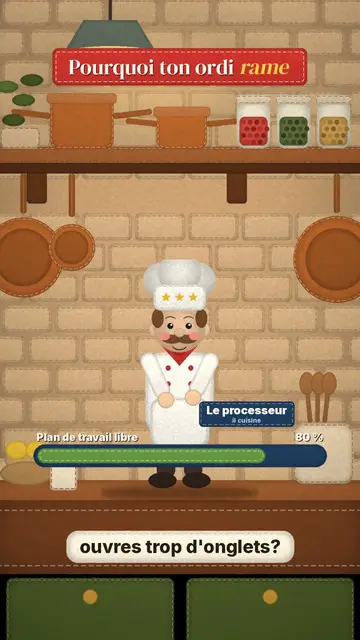
Stop-motion explainer video
Felt kitchen style · A retro wool kitchen in stop-motion, where a chef and an apprentice act out the explanation.
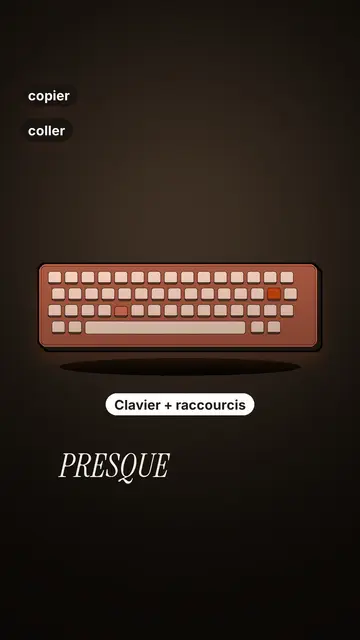
Tech tutorial video maker
Terracotta studio style · Tutorials told with UI cards floating in light 3D on cream: numbered labels, rolling counters, terracotta title plates.
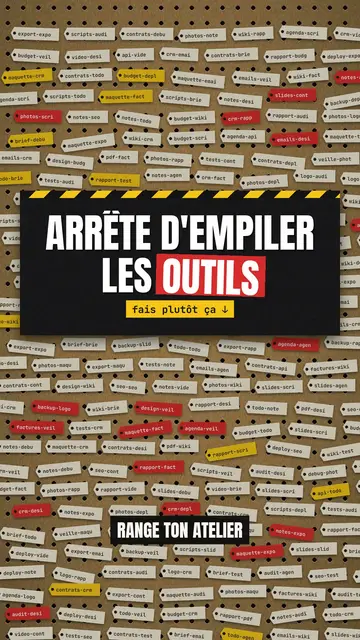
Step-by-step method video
Pegboard workshop style · Everything hangs on a cardboard pegboard: falling labels, gauges, caution tape.
Your idea, in this style
Write a sentence or say it: the style is already picked when you reach the editor.