Isometric tech video — Isometric technical board style
Make a tech video as an isometric board: a white installation seen in one long pan, screens lighting up on the word, FIG. 0X captions and orange stamps.
Included from Starter, with all 81 styles plus your own · preview rendered by the ClipOnIt engine
What this style looks like
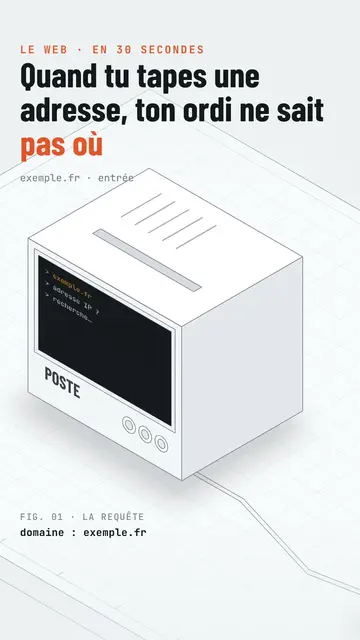
Isometric technical board presents your topic like an exhibition board. An all-white product installation, with fine edges drawn like a plan, stretches out in isometric view: monitors, boxes, a robot arm, a counter, walls of screens. The camera pans along it continuously, never cutting, and frames the device the voice is talking about. On the spoken word, its screens light up: amber hexadecimal text, a website, a command line.
The title is in black condensed capitals, with the key word in orange and an orange mono kicker above. At the bottom, a mono “FIG. 0X” caption names what you see, with a bold data line below (“stars: 405,942”). An orange label drops onto the device on the word, like a stamp (“13 issues”, “0.4%”), and the camera can zoom in on it. The end lights up a giant “SUBSCRIBE” wall of screens with a search bar.
Topics it suits
Avoid: stories with characters or emotions: the installation is made of devices, not people. Also avoid topics outside technology, like cooking or history; the set does not allow it.
- How the Internet and networks workEach device in the installation plays a role: server, router, screen, in a single continuous shot.
- Tech product presentationsThe white installation and the FIG. captions give the look of a design catalogue.
- Software and AIScreens lighting up show what the program does, step by step.
- An open-source project's numbersThe data line and the orange stamp show the figure without a complicated chart.
Video ideas in this style
- What happens when you type a web address
The computer asking for the IP, the 13 root servers from A to M, the TLS padlock and the screen showing the page.
- How a robot sorts parcels
The framed robot arm, the climbing counter and the orange label with the error rate.
- What a server really does
The box lighting up, the wall of screens and the FIG. 03 caption.
- The open-source tool with 400,000 stars
The monitor showing the site, the data line and the zoom on the label.
Get it in 1 click
- Open this style's link
The “Create a video in this style” button opens the editor with this style already picked. Without an account, signing up takes a minute and needs no card.
- Write your topic in one sentence
One idea is enough. You can also paste your text or, from Starter, narrate into the mic: the video then builds on your voice.
- Review, then render
AI writes the scenes, picks the style's elements and times them to the words, with voice and captions. You fix what is off, then the vertical MP4 arrives in a few minutes.
What you can adjust
For each scene you pick the kicker, the line under the title, the FIG. caption and its data line, the device the camera frames (screen, wall, arm, box, counter or element) and what its screen shows, the orange label and its word, the zoom and the text of the final search bar.
Frequently asked questions
Free or not, output, uses: the short answers.
Does the camera cut between scenes?
No. The camera pans along the installation in one continuous movement and goes from one device to the next as the text goes on.
Can I use my own voice?
Yes. Record yourself or import your audio: screens light up and labels drop on your words.
How is it different from Wireframe?
Wireframe shows 3D objects in neon green lines on a black grid floor. Isometric technical board stays white and light, with an installation seen in one pan and catalogue captions.
Is this style in the free plan?
No, it comes with Starter ($29/month): 15 watermark-free videos a month, all 81 styles plus your own. The free plan gives 3 videos a month with a watermark in 8 other styles: Pixel News, Press paper, Comedy cartoon, Class sketch, Night tale, Social screen, Retro synthwave and Flat vector.
If you like this style
Wireframe animation video
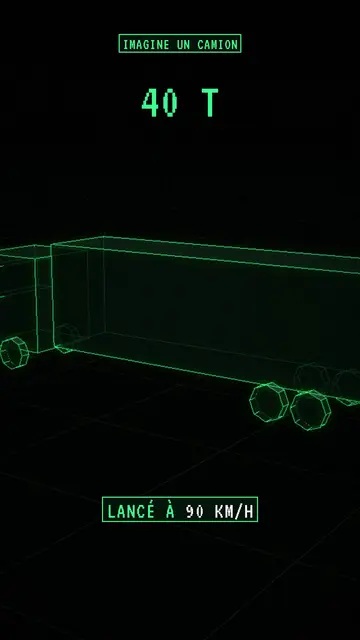
Wireframe style · Neon-green wireframe 3D objects on a grid floor.
Blueprint diagram video
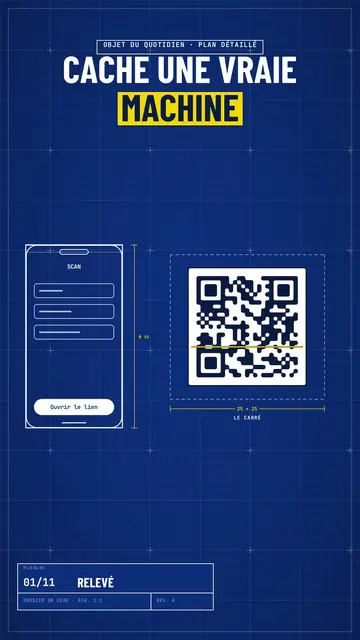
Blue blueprint style · A gridded blue blueprint sheet: line-drawn wireframes, dimensions, a title block and a yellow note.
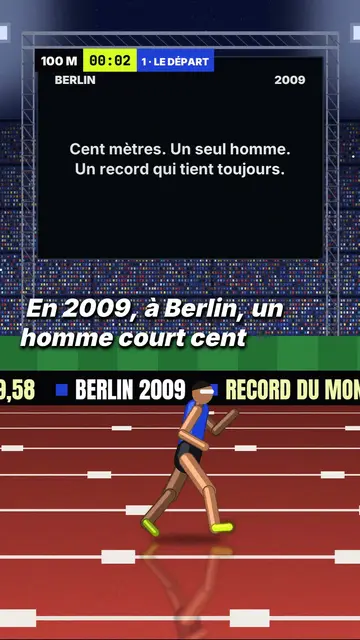
3D sports challenge video
Night stadium style · A 3D athletics stadium at night, a runner in a side tracking shot, a giant screen and an LED banner.
Your idea, in this style
Write a sentence or say it: the style is already picked when you reach the editor.